
12BET Login: Sign In on Mobile and Recover Your Password
How to sign in to your 12BET account from the app or your phone's browser, what to do when it doesn't work, and how to reset a forgotten password. The steps on this page follow 12BET's own published FAQ.
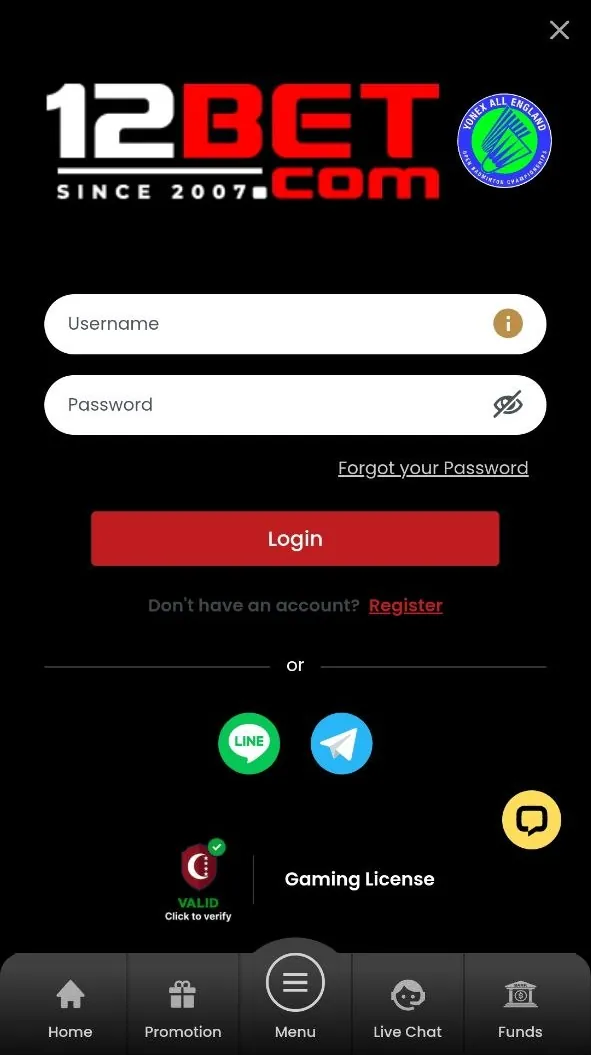
How to log in to 12BET
- Open the 12BET app, or go to www.12betapps.com in your browser.
- Tap Login.
- Enter your username and password. Passwords are case-sensitive and at least 6 characters long, letters and numbers.
- Complete any verification step shown.
- Your account opens. 12BET allows one account per person, so use the same username everywhere.
Official login page for India: www.12betapps.com.
Forgot your 12BET password?
According to 12BET's FAQ, a password reset works like this:
- 1
Tap "Forgot your Password"
It's on the login screen, below the username and password fields.
- 2
Enter your details
Give the email address on your account plus your security question and answer.
- 3
Check your email
Once verified, 12BET sends a new password to your registered email address.
- 4
Change it
Log in, then go to Manage Account › Change Password to set one only you know.
Forgot your username?
Usernames can't be reset online and can't be changed. 12BET's FAQ asks you to contact customer service by email so they can run a security check on your account. For India, the listed address is [email protected]; see customer support.
Common 12BET login errors
| What you see | Likely cause and fix |
|---|---|
| Incorrect password | Check Caps Lock and that autofill isn't entering an old password. Type it manually. If it keeps failing, use the password reset above. |
| Account locked or suspended | 12BET can suspend accounts for security checks, duplicate accounts or unfinished verification. Contact support; don't open a second account, which the terms forbid. |
| Login works on Wi-Fi but not mobile data (or vice versa) | Try the other connection, or restart your phone to clear a stuck network. |
| Access blocked while using a VPN | 12BET's terms don't allow VPNs or proxies that hide your real location. Turn it off. |
| The site looks different or asks for unusual details | You may be on a fake site. Close it and type the official address yourself. |
Keeping your 12BET account secure
- Use a password you don't use anywhere else, and change it if you think someone else knows it.
- Switch off "Save password" on shared devices, as 12BET's Responsible Gaming policy recommends.
- Never share your password or codes. Genuine 12BET support won't ask for your password.
- Turn on two-factor authentication (2FA). 12BET offers 2FA, which adds a one-time code to your login. Even if someone learns your password, they can't get in without the code. Never share these codes with anyone, including people who say they're from support.
Don't have an account yet?
You'll need to register before you can log in. See what 12BET registration involves, or get the mobile app first and sign up from there.